This blog has been around 15 years. Social media has mostly moved on, to silos like Facebook and Twitter. People don’t follow random personal blogs. Topic-focused sites are what people actually read, and even that mainly following links from silos.

Meanwhile there are so many major things going on that make the things I post about here — comics, fandom, photos of things I found interesting, random tech thoughts — seem trivial.

So why keep a blog going? And why write about trivialities, and not big things like the battles over civil rights, healthcare, environmental protections, war?

As for the first: Some of it is stubbornness. And some of it is wanting to keep part of my writing/photo presence somewhere “permanent” (to the extent that anything online is).

As for the second: I’ve never really liked talking news and politics online. I rarely feel like I can add anything that hasn’t already been said (probably better) by someone else. Also, online conversation has gotten way too toxic. On the other hand, while the little things may be trivial, they add up. They add up to your life. It feels like I might actually have something to say that’s not already been said a thousand times by people more familiar with the issue than I am.

Plus it’s a way to assert some normality in a world that feels decidedly abnormal.

I’m not likely to come up with anything super-profound on the most important topics, but I can make short statements, and I can amplify other voices. And I’m trying to come to grips with the fact that that’s important. I’ve been reading a lot more and posting a lot less over the past year or so, but even if I can’t say anything profound, I shouldn’t stay silent.

So I’ve been microblogging, and linking, and reposting — all things that are better suited for a service that’s built around those use cases. When I have something longer to say, I do try to pull it in here, because a blog post is better than a Twitter thread… But I think more people probably see my retweets than my blog posts, anyway.

That took a lot longer than I intended.

But I’ve finally made all of Hyperborea.org run over HTTPS.

It’s been possible to view the whole site over HTTPS ever since I turned it on for the admin area of this blog years ago, but I left HTTP as the canonical URL and didn’t redirect anything until I updated the Les Mis section, and later this blog. Now, any page you visit on this entire site should load over an encrypted connection.

(Well, any page except for the old Dillo RPMs page, since that minimalist web browser still only has experimental HTTPS support.)

The problem is when you have decades of hand-crafted web pages to go through, it can take a while to make sure everything embeds only secure or same-origin content. Every image, every script, every video. I had to update lots of absolute links, remove some widgets and ads, update other widgets, embedded videos and metadata…and just a bit at a time in my spare time.

Finally I switched on the redirects this morning. Even that took longer than expected, because I’d forgotten that mod_rewrite rules in a directory override any parent directory’s rules, so I had to copy the HTTP-to-HTTPS rewrite rule to each folder that had its own rewrite rules. Then I had to fix the interaction between mod_rewrite and ErrorDocument that was causing custom errors to redirect to the error template instead of loading it behind the scenes.

I finally moved the public side of this blog over to HTTPS last weekend. Traditionally I’ve preferred to put public info on HTTP and save HTTPS for things that need it – passwords, payment info, login tokens, anything that should be kept private — but between the movement to protect more and more of the web from eavesdropping and the fact that tools are making it harder to split content between open and encrypted sides (the WordPress app sometimes gets confused when you run the admin over HTTPS but keep the public blog on HTTP), I decided it was time.

The last sticking point was putting HTTPS on my CDN, and I’d decided to try getting Let’s Encrypt and CloudFront working together over the weekend. Then Amazon announced their Certificate Manager for AWS, which took care of the hard part. All I had to do was request and approve the (domain-validated) certificate, then attach it. Done!

Downside: Because I opted for the SNI option on the CDN, rather than pay the premium to get unique IP addresses on every CloudFront endpoint, the images won’t work with older browsers like IE6. (Server Name Indication is a way to put more than one HTTPS site on the same IP address.)

On the other hand, the cert I have on the site itself is SHA2-signed (as it should be, now that SHA-1 is no longer sufficient), so it wouldn’t work with older browsers even if I turned off the CDN and kept the images on the server.

It’s the first time I’ve actually broken the ability of older browsers to see any of my personal sites. I’ve broken layouts, sure, but not completely cut them off. In general I’d rather not, but I think I’m OK with it this time because

  1. SHA1 really does have to go, SHA2 is well-established, and it’s not like I’m providing downloads of modern browsers or a critical communications forum for people who are stuck with ancient hardware/software because that’s all that’s available to them.
  2. SNI has been around for TEN YEARS.

And as it turns out, DreamHost’s ModSecurity rules block IE6 to begin with, so the whole site’s already broken in that browser.

So I guess next time I redesign I can finally drop any IE6 workarounds. :shrug:

I’ve been making more of an effort to post here this year, though it’s been a long time since the site had many regular readers. I’d like to do more long-form writing, but that’s just not in the cards these days.

Some highlights:

Century Blvd - railroad bridge remainsLos Angeles/California: I’ve been following the demolition of a bridge near LAX to make way for a future Metro station, wrote a series of thoughts on the California drought, and looked at a slowly emptying mall in Anaheim.

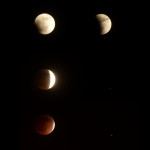
Lunar eclipse mosaicScience: I caught two eclipses this year: a total lunar eclipse with the family, and a partial solar eclipse near the office. Katie did her own controlled experiment on wireless signals and seeds following up on some of the questions that should have been asked in that school experiment that went viral back in spring.

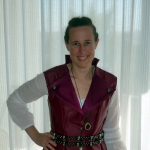
Katie as Alice (OUATIW) cosplayEntertainment: I’ve been reviewing Les Miserables adaptations, including two movies, a comic book, a live parody and a children’s book. I also finally saw productions of Ragtime and Into the Woods. (Good ones, fortunately.) Comic-Con (San Diego), WonderCon, and Long Beach Comic Con of course, including Katie’s awesome Alice (Once Upon a Time in Wonderland) cosplay at SDCC. And then there was 5 things to do with a smart watch at Comic-Con (#1 is to wear it with a Dick Tracy costume).

Troubleshooting is what brings people in the most. Finding the missing Windows 8.1 update was the most popular post of the year, though it’s 15th on the list behind older posts, most of which are also tech tips. It seems wireless networking on Linux is still more challenging than it ought to be.

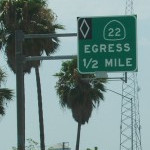
22 Egress 1/2 MileMostly I’ve been trying to continue the occasional series that have been here for so long: funny signs, interesting/odd photos & observations, comic conventions (though less of that these days). Admittedly that means there’s a lot of overlap with my Instagram and Flickr streams (even more now that my phone is good enough to be my most often-used camera), but I try to add description and context when I post here. On that note, an old photo of a long-gone freeway “Egress” sign got some surprise attention from Reddit at one point.

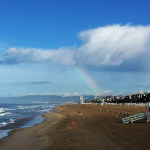
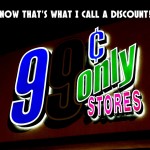
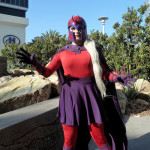
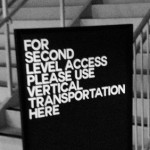
Rainbow over El Segundo Giant's Chess Set Restroom for ME 9 Cent Only Stores Exploring the Creek Sunset Palm Tree Female Magneto at WonderCon Use Vertical Transportation

Before the quick-status type social networks like Twitter and Facebook took off, it seemed like everyone was starting a blog. And every company seemed to want to get in on it: it wasn’t enough to have a forum, you had to have your own community, including — you guessed it — a blog.

Things change, of course. People move on to new interests. Businesses fold and are replaced with others. Online social activity has largely gravitated toward a small number of hubs. Hubs like Facebook, Twitter, Tumblr, Pinterest, Instagram. Old blogs are left unmaintained, and die. And those island communities like My Opera, or the Newsarama forums, or Comic Bloc, have also dried up, activity moving to the hot spots. Why go to the trouble of building your own social network when you can create a page on Facebook and be part of that one for free? That’s where your users/customers/fans are anyway!

So those special-purpose sites are going away too.

In addition to K-Squared Ramblings, I had a blog on LiveJournal (still there, but I haven’t updated it in years), and a blog on WordPress.com (also still there, but I changed its focus). I also had blogs at Spread Firefox, My Opera, and ComicSpace. I wrote for Opera Watch. I could swear I had something hosted by Flock even though I hardly ever used it.

I’ve been slowly migrating a lot of that material from those blogs to this one.

  • I had two convention reports on LiveJournal, and a zillion of them here. I copied over the two posts and cross-linked them.
  • After SpreadFirefox and Opera Watch shut down, I pulled what I could from archive.org and posted the more useful/interesting bits here.
  • When I finally figured out I wanted to make Parallel Lines a photo blog, I went through the earliest posts and brought over one or two posts that were worth keeping.

The latest is My Opera shutting down. It was announced back in October, which gives you an idea of how often I go there these days. Fortunately, they announced the closure early and provided tools to download your blog posts (with comments) and files.

Looking through 27 posts, a lot more of them than I thought turned out to be cross-posts or otherwise duplicate content. I found just seven with unique content that might be worth importing (one of those was only unique because my corresponding Spread Firefox post was already gone!), either for current or historical interest, and three duplicates with their own comment threads that might be worth merging. I particularly wanted to save On Broken HTML, and was amused to find this rant against combined stop and reload buttons, a fight that’s been completely lost.

Some content has gone the other way, though: After I launched Speed Force back in 2008, I started putting most of my comics-related thoughts there, or cross-posting them. And just last year, I started my Re-reading Les Misérables project in the pages of this blog, before breaking it off as its own subsite. The difference is that those are both self-hosted sites under my control. As long as I have access to web hosting and domain registration, and as long as I have backups, I’m set.

Wow, is the year over already? Here are this blog’s five most popular posts of 2012.

Don’t Use Third-Party Links in Email – Object Lesson: Comic-Con Registration (March)
Being both a comics fan and a long-time email administrator put me in the perfect place to analyze what went wrong when Comic-Con International tickets went on sale. I got linked to by a couple of high-profile sites, resulting in a lot of views during the first few days after the debacle and making March 3 the blog’s busiest day of the year. It quickly trailed off to almost nothing, and didn’t even get a blip when tickets for next year’s con went on sale. It’ll probably be forgotten next year.

Tablet Tip: Using Bookmarklets with Chrome for Android (August)
The two things that seem to pull in perennial traffic are popular images and troubleshooting articles. In this case, I describe how to use bookmarklets on Chrome for Android, since the normal way (clicking on a menu/icon) doesn’t work. (Two words: auto complete.) This one started slow, but since mid-September it’s pulled in more and more views every month.

Nexus 7 + USB Cable = Finally! Photo Uploads Without a Laptop! (October)
This post detailed how I was able to connect my Nexus 7 tablet to my camera, to thumb drives, and to keyboards and mice. It turns out all you need is a $1 cable adapter and a $3 app. This has been another slow but steady post, with a spike in visits shortly after Christmas. These two troubleshooting posts are actually in the top three for December (

Photos: Solar Eclipse from Los Angeles (May)
I went out to a hilltop park in Palos Verdes to watch May’s solar eclipse, which was an 85% partial eclipse in Southern California. I stumbled into an impromptu eclipse festival, with lots of individuals and groups who had all brought different equipment and were happy to share. A link from Patch.com brought in a lot of visits for the first week or so, and then it trailed off with a couple of spikes, one in June (not sure why) and another during the November eclipse.

WonderCon in Anaheim – A Great Weekend Comic-Con (March)
Another post following the typical event pattern of a sharp initial spike and steep drop-off, but this one hasn’t vanished quite so thoroughly as the others…probably because of the uncertainty for most of this year as to where next year’s con would be. What I find particularly interesting is that more people have viewed this post than my write-up of this year’s San Diego convention.

When I set up a B2 site just for kicks in 2002, I didn’t really expect to still be posting to it ten years later.

Admittedly, I don’t post as often as I used to, and I think fewer people read it than did back in the day — partly because a lot of my more fannish stuff has moved over to Speed Force, partly because I don’t post as often, and partly because of the changes in the social media landscape, most notably Facebook and Twitter.

Vital stats:

2644 posts
3847 comments

Top 10 posts viewed over the past year:

  1. Setting up a Wireless Network on Linux: Ralink 3062 and Network Manager
  2. Comic Con! (2003)
  3. Getting Flash to work on Google Chrome for 64-bit Linux
  4. Songs Not to Play at a Wedding
  5. Victimized Hero
  6. Avocado’s Number
  7. Super-hero Weaknesses
  8. Flash Foreshadowing
  9. Fuchsia Zoom
  10. How to Get Rid of Windows Live Messenger

»All pages site-wide with this tag