The kid has been watching a zillion teardown/repair/dismantling videos of various devices on YouTube, and wants to learn to repair phones.

So I took the old phones and tablet that I’d set aside for e-waste collection, and the tools I used to do battery replacements on a couple of devices a while back, and let him at them.

He disassembled and reassembled the dead Nexus 5x that got stuck bootlooping two years ago. Plugged it in. Waited.

It actually powered on enough for us to get it into recovery mode!

Unfortunately I should have left it in fastboot mode, because now that I’ve downloaded an image to install, I can’t get it to power up again at all.

Last month I finally got around to a major rebuild of my computer, something I’d been meaning to do since May when I traced some display problems to the motherboard*. I finally bit the bullet when I started seeing signs of disk errors, and dragged the machine into the present day. (64-bit, dual-core, 2 GB RAM, SATA drive, faster everything.)

Then I discovered that some of the display problems actually were the fault of the monitor.

So I went out and bought a new monitor while Fedora was installing, and I took the opportunity to go widescreen.

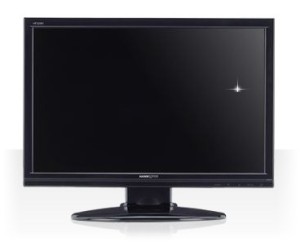
My criteria were simple: The resolution and physical size both had to be as big or bigger than the old one (17″, 1280×1024), and it had to be under $300. That meant at minimum a 22″ display at 1680×1050, and I found a Hannspree 229HBP for about $190.

There was a Dell right next to it, same size & resolution and comparable specs, and the Best Buy employee had been talking both of them up. The Dell was on sale for $290. I asked what the difference was. He thought about it for a few seconds. “Well, this one [the Hannspree] does run a little bit hotter. But mostly it’s just the name.” Thank you, Best Buy employee whose name I’ve forgotten, for helping me save $100.

The biggest difference, aside from actually having room to show both the toolbox and document windows on GIMP, is that I don’t maximize windows anymore. Not that I maximized apps that often before, not counting the stuck-in-low-res period. I’ll occasionally run a video or slideshow fullscreen, but the only program I regularly maximize is my email client, and that’s because I can put it in three-column mode (Folder tree on the left, mailbox listing in the middle, message content on the right).

Something to watch out for: At first I left the monitor off-center, because there wasn’t enough room on my desk for it. I figured as long as I worked mostly on the right part of the screen I’d be fine. But I ended up having neck problems shortly afterward, and Katie suggested I check the placement of the monitor. I shifted things around so I could center it, then set it on top of an Amazon box to raise it a couple of inches, and the sore neck cleared up.

I’ve only run into two problems (not counting the placement): There’s one dead pixel, but it’s off in a corner so that it’s not really an issue. I almost didn’t notice it at first when I was still setting things up, because the default GNOME layout has a Mac-style ever-present menu bar, and it falls right on the edge. Usually it ends up either on the edge of a window border or lost in the wallpaper noise.

The other problem: the built-in speakers pretty much suck, but I had external speakers already, so again: no big deal.

* It stopped displaying any resolution past 1024×768. I could tell it wasn’t the monitor because it was perfectly happy to show another computer at 1280×1024. And not the drivers or OS because I had the same problem booting from a LiveCD. And not the video card because plugging in another one didn’t solve it. This was particularly frustrating since it was an LCD monitor, so running at less than native resolution made everything blurry. Still, I put off replacing the mobo for months since it’s such a pain to do.

My desktop computer has been a bit flaky for a few months now. Well, more than that. There’s the problem where it won’t display anything in plain-text mode, but that’s not really a big deal. It was when it stopped running anything higher than 1024×768 that I started getting annoyed.

That turned out, oddly enough, to not be the video card. And not the monitor, since I could display higher resolution from the Windows box perfectly fine. And not my OS, since running a live CD had the same problem.

So I figured it was a motherboard issue. Fine, I’ll upgrade. Eventually. Wait ~4 months, and I’m starting to notice data errors on the hard drive. Great.

You know that old saying about how any project requires at least 3 trips to the hardware store? It applies to computers, too.

I finally got around to looking for a decent mobo/CPU/RAM combo, and a new hard drive. Ordered online. Arrived yesterday. Ran backup last night.

Today I dismantled everything, hampered by the fact that I could not find the box that has all the case components (faceplates so I could remove the ZIP drive which I haven’t used in 3 years, etc.), though I did eventually find the screws. After I installed the motherboard, I started plugging in connectors… only to discover that the power supply didn’t have the right kind of connector.

Off to Fry’s to get a new power supply, after stopping at storage to see if I could find that box with faceplates and stuff. No luck, and power supplies are astonishingly expensive, though I found one that fit my specs and was on sale and had a rebate, so that worked out. (Some of them are 1000-watt monstrosities that cost as much as a cheap computer, and in the words of another customer, “look like they should be in a Chevy.”)

Came back, hooked everything up, moved it back into the bedroom to hook everything up…and couldn’t go into the BIOS to set the boot device. After messing around a bit, determined that the text-mode problem, at least, actually was the monitor. So I’m borrowing Katie’s monitor while I install an actual 64-bit OS. Once it’s at the point where I can let it sit for a while, I’m going to run out to Best Buy for a new monitor. I suspect the resolution problem is different, but at this point I’m no longer inclined to suffer through it.

Still, it’s worth the upgrade (assuming, of course, that everything continues to work once I close up the case), since the old system was single-core, 32-bit, and ran on an IDE drive, and the new system is dual-core, 64-bit, will have more memory, a faster bus, a SATA drive, etc. This should be much faster.

Once it’s done, anyway.

Originally posted at LiveJournal.

Current Mood: 😔frustrated

I should’ve written this up when we bought it, but there are two main reasons I went with the Netgear WGT624 router over another brand with similar features.

First: familiarity. Since I hadn’t researched specific models, I wanted a brand I knew or had used before. This meant Netgear, Linksys, or Belkin.

Belkin was out of the question. In fact, I was muttering about how I’d never buy a Belkin router, when I was approached by a Belkin representative who proceeded to explain about how much better their product was than any of the others. The problem is that Belkin lost my trust last year when they set their routers to redirect web requests to their own advertisement page. (Basically one every eight hours until you bought the filtering service or clicked on an opt-out link on that web page). Aside from the annoyance factor, there’s a lot of web traffic that isn’t actually trying to load a web page. It could be your antivirus program trying to download new definitions, or your news reader updating an RSS or Atom feed. It could be Windows Update. Sure, they eventually disabled the “feature”, but come on!

So at that point it basically a toss-up between Netgear and Linksys. The Netgear packaging was more focused on the networking capabilities, and the Linksys packaging was more focused on the parental controls, so I went with the Netgear.

On Friday I reinstalled Red Hat 9 on my computer. On Saturday I figured out why I couldn’t build Dillo on the virtual Conectiva system (the only reason I tried to install the real thing). On Monday I made a remark on the Dillo mailing list that, after trashing the system trying to install Conectiva, “unless/until I can set up a spare system solely for trying things out, anything else… will run under User-Mode Linux.”

And that got me thinking.

A spare system wouldn’t need to be elaborate. I wouldn’t be playing games on it. I wouldn’t be doing graphics work on it. I wouldn’t even be doing web development, word processing, or checking my email. Most of the time it wouldn’t even be running – just when I wanted to try something new, or when a new release of Dillo came out and needed RPMs. And since I have a spare KVM switch, I’d only need to find space for the case, and wouldn’t need to worry about a monitor.

I’ve mentioned before that I’ve upgraded my computer piece-by-piece since 1994. Well, when you do that, you end up with a lot of spare parts left over. Sure, they’re older, slower, smaller, etc. than what you’ve got now, but if they worked when you took them out, they probably still work now. I’ve been meaning to go through all the boxes, cards, drives etc. and get rid of things I don’t need anymore, but I’d never gotten around to it. Well, on Monday I finally had motivation.

I went through looking for parts I could use to put together a spare, expendable system – one where it wouldn’t matter if the entire hard disk got wiped. I found three hard drives (two of them too small to be useful), several sticks of RAM, network and video cards, and a motherboard and a CPU that wouldn’t fit together. That left: a case, a CD-ROM, and either a CPU to go with the motherboard, or a motherboard to go with the CPU.

[A picture of Red Shirt] It turned out my boss was getting ready to throw out some old equipment, including a huge mega-tower with a 450 MHz K6-2. The motherboard I have used to hold a K6-2. (Where it is now, I have no idea – I don’t think it’s the one I fried, especially since the motherboard seems to work.) So now I had a processor. My parents had recently replaced an extremely flaky computer, so I got a CD-ROM from that. Then I went to Fry’s and picked up a $30 case and $13 floppy drive.

That’s right: I have just built a $43 computer.

Somewhere in this whole process, Katie came up with the name “Red Shirt Linux.” And while it’s mostly going to be SuSE, Conectiva, and Mandrake, the name fits.

Preliminary tryouts look promising: All the hardware works, I was able to see old data on the hard disk before I repartitioned it, I could boot tomsrtbt off of a floppy and mess around under that. I tried Conectiva first, and it failed, but I think I’ve got a bad install CD. (The UML system I built from it has network problems, and the copy I installed on Ghostwheel is what trashed my partition table, so it doesn’t surprise me that it had problems here.) I’ll run a thorough memory test overnight just to make sure, but it looks like I’ve got a PC I can mess around with without risking any data!

»All pages site-wide with this tag