It’s always something.

Last month it was my computer that needed rebuilding. This month it was Katie’s. It’s an old G4 PowerMac, but it’s still plenty for iTunes, web, email, word processing, etc., and we’ve got a newer Windows box for things like games. It failed to boot after a system upgrade, and subsequent troubleshooting determined that the drive was going bad. (This time I ran some more diagnostics, confirming that the rest of the hardware was fine, and Tech Tool Pro found dozens of bad blocks before I stopped the surface scan.)

So: New drive, reinstall system, transfer the data and apps that we can. Which led to this question:

The Leopard or the Tiger?

(Sorry, I couldn’t resist phrasing it that way!)

Last fall I bought the multi-license pack of Leopard so that we could put it on both Macs. We ended up not upgrading the desktop. She was under the impression that the hardware was too old, and I only remembered that Leopard had dropped support for Classic apps. The first problem was easy: I’d checked the specs before ordering, and would only have bought the single-license box if it hadn’t been supported. The second was also easy: in the past year, she’d converted all her documents from old classic-only apps, and wasn’t playing the classic-only games anymore.

So: Installed Leopard, transferred data from old drive & backups.

Side annoyance: transferring a user with the Migration Assistant did not work. First it wouldn’t copy over her account, so I had to create another account, log in, delete her (new) account, then do the transfer. Then, every time it ran into one of the 5 or so corrupted but inconsequential files, it would freak out and remove everything it had copied. Drag and drop copy didn’t work because the alternate account didn’t have permission to read everything. (Remember: admin != root.) I finally resorted to the UNIX commandline, which worked. For reference: sudo cp -rp oldpath newpath Prob. should’ve used tar instead of cp, but I’m not sure how much Mac OS X uses symbolic links in user accounts. In any case, it’s been working, so I’m not going to worry about that.

The real problem: A week later, while doing link maintenance on this site, I stumbled across my blog post about upgrading the laptop, which mentioned the fact that Photoshop 7 won’t run on Leopard.

*facepalm*

Cue Spamusement:

Screaming figure running from a ghost crying, $150...just to UPGRADE

So, what are the options?

  1. Shell out $200 to upgrade to Photoshop CS3. I don’t think so. Not after doing major surgery on two computers, not in this economy. (Incidentally, it took forever to find the system requirements on Adobe’s website and verify that CS3 would actually run on that machine, since everything is focused on CS4…even though it isn’t available yet.)
  2. Downgrade to Tiger. Might just be Archive & Install, might require wiping the new drive and reinstalling. (Reports are mixed.) I don’t think any of the built-in apps she uses have changed data formats, so that’s probably OK.
  3. Find something cheaper or free. Katie pointed out that it has to be able to read PSD files accurately.

We’re going with (c) for now, starting with the OSX version of GIMP.

After several years of inactivity and a quiet relaunch earlier this year, the Dillo web browser has finally released Dillo 2.0.

The open-source project started in 1999 with the goal of creating a small, fast, highly efficient graphical web browser that could run well even on low-end hardware and software. It’s a UNIX application, and runs on Linux, BSD, Solaris, etc. Things stagnated when it became clear that GTK1 was going to vanish, and GTK2 would not fit the project goals, and eventually the browser was ported to the Fast Light Toolkit (FLTK).

If you’ve used Dillo before, some of the improvements in this release are multiple character set support (the old versions were Latin-1–only), tabbed browsing, HTTP compression, anti-aliasing, improved rendering and UI, and smaller(!) memory usage.

It does have its limitations, and a few major items stand out as missing when compared to other modern browsers:

  • No CSS stylesheet support.
  • No scripting.
  • No plug-ins.
  • Limited SSL support.

That said, it’s useful to keep around on an old/slow system, or for situations where speed is more important than rendering, or to test how a website works without styles, scripts, and plugins.

I started building RPMs of Dillo for my own use back in 2002, and became the official RPM packager for the project the following year. I’ve posted Dillo RPM packages for Fedora 9, RHEL 3, RHEL 4, and RHEL 5. Other distros will have to wait until I get my build system out of storage or figure out how to convince mock to let me build two packages together.

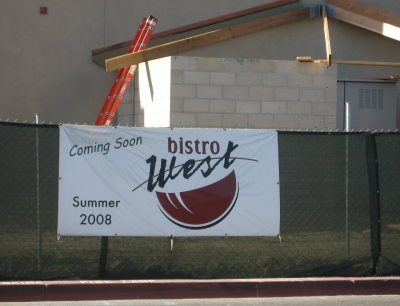
Something like 10 years ago, Katie saw a self-storage place in which the opening S was unlit, making it read, “Elf Storage.” She’s been looking for another one ever since, and we finally caught one in Newport Beach a few months ago. This one was even better, because the S had actually fallen off.

Of course, there are other things in the area that could easily come out of a Dungeons & Dragons manual. Such as this Kobold Construction truck.

And then there’s the fact that all fire engines in Orange County are labeled ORC.

Let’s not forget the previously-blogged Hobbit Center in Laguna Beach.

Hobbit Center

And that’s not even getting into all the Tolkien-inspired street names in Lake Forest…

I was just commenting on The Comic Treadmill’s 5-year anniversary, and I realized: K-Squared Ramblings turned six last month. (September 14, to be exact.) I’ve been so busy with Speed Force that I haven’t posted much here, and didn’t even notice the milestone.

Let’s run the numbers:

  • 6 years and not-quite 1 month
  • 1708 posts including this one
  • 2,863 comments including pingbacks and replies
  • 52 categories
  • 9 convention reports (6 San Diego Comic Cons, 2 Wizard World LA, 1 WonderCon)

Top-viewed posts for the year:

Last month I finally got around to a major rebuild of my computer, something I’d been meaning to do since May when I traced some display problems to the motherboard*. I finally bit the bullet when I started seeing signs of disk errors, and dragged the machine into the present day. (64-bit, dual-core, 2 GB RAM, SATA drive, faster everything.)

Then I discovered that some of the display problems actually were the fault of the monitor.

So I went out and bought a new monitor while Fedora was installing, and I took the opportunity to go widescreen.

My criteria were simple: The resolution and physical size both had to be as big or bigger than the old one (17″, 1280×1024), and it had to be under $300. That meant at minimum a 22″ display at 1680×1050, and I found a Hannspree 229HBP for about $190.

There was a Dell right next to it, same size & resolution and comparable specs, and the Best Buy employee had been talking both of them up. The Dell was on sale for $290. I asked what the difference was. He thought about it for a few seconds. “Well, this one [the Hannspree] does run a little bit hotter. But mostly it’s just the name.” Thank you, Best Buy employee whose name I’ve forgotten, for helping me save $100.

The biggest difference, aside from actually having room to show both the toolbox and document windows on GIMP, is that I don’t maximize windows anymore. Not that I maximized apps that often before, not counting the stuck-in-low-res period. I’ll occasionally run a video or slideshow fullscreen, but the only program I regularly maximize is my email client, and that’s because I can put it in three-column mode (Folder tree on the left, mailbox listing in the middle, message content on the right).

Something to watch out for: At first I left the monitor off-center, because there wasn’t enough room on my desk for it. I figured as long as I worked mostly on the right part of the screen I’d be fine. But I ended up having neck problems shortly afterward, and Katie suggested I check the placement of the monitor. I shifted things around so I could center it, then set it on top of an Amazon box to raise it a couple of inches, and the sore neck cleared up.

I’ve only run into two problems (not counting the placement): There’s one dead pixel, but it’s off in a corner so that it’s not really an issue. I almost didn’t notice it at first when I was still setting things up, because the default GNOME layout has a Mac-style ever-present menu bar, and it falls right on the edge. Usually it ends up either on the edge of a window border or lost in the wallpaper noise.

The other problem: the built-in speakers pretty much suck, but I had external speakers already, so again: no big deal.

* It stopped displaying any resolution past 1024×768. I could tell it wasn’t the monitor because it was perfectly happy to show another computer at 1280×1024. And not the drivers or OS because I had the same problem booting from a LiveCD. And not the video card because plugging in another one didn’t solve it. This was particularly frustrating since it was an LCD monitor, so running at less than native resolution made everything blurry. Still, I put off replacing the mobo for months since it’s such a pain to do.

We’ve been testing Barracuda’s new BRBL spam block list at work. This involves flagging but not actually blocking messages, then me looking through the logs for potential false positives. I’ve found several, including the Star Wars Fan Club (I subscribed myself just to verify that it was really sent by a server at lucas-online.info) and a senator’s mailing list.

There’s also a lot of definite spam, and a lot of stuff that I just can’t tell. It’s marketing, certainly, but I have no idea whether the particular users actually subscribed or not.

Anyway, this subject showed up several times on the list:

Stimulate your bottom line with Microsoft Financing and the 2008 Economic Stimulus Act

Naturally, when I first skimmed the list only the first three words were visible. 😯