Sure, I like electronic gadgets. But I dislike planned obsolescence more.

It’s one thing when the newer model really is that much better. “All About the Pentiums” exaggerated it, but computer hardware in the 1990s really was improving by leaps and bounds. (And the software was devouring those performance gains, both in demanding more resources, and being less efficient as programmers were told to optimize for their own time, not for disk space or RAM.) That eventually settled out around the time smartphones and cloud computing started taking off, which is why I was able to run a 2012 model CPU all the way through 2024. A faster PC would have been nice, but I didn’t need one yet.

As I recall the tech industry freaked out when demand for new PCs dropped. There was probably a rash of “Millennials are killing computers!” articles.

But smartphones were going through the same kind of rapid improvement. You could easily justify buying a new phone after only two years: it was a lot faster, had a better display, had a better camera and more storage, and so on. And the carriers were happy to hand you a “free” new device to keep you on their service. Heck, if you really wanted (and could afford) to buy a new phone every year, you could make a case for it.

In that environment, you could kind of accept a company only offering 2-3 years of support for their phones.

Eventually that settled out too, and it takes longer for new phones to really be worth the upgrade. Of course the industry has tried to keep the pace going. If the hardware still works, and it’s still able to run the apps people want to use, there’s no good reason for the company to stop supporting it after only three. Especially with something whose main purpose is to be constantly connected to the Internet.

I have an Android phone from 2020 and a tablet from 2019. The tablet still works fine. (It’s great for digital comics, or PDFs that are pre-formatted for 8.5×11″ pages.) The phone worked until two days ago. (Technically it still does, but I don’t want to overload the already-swollen battery.) But they’re both unsupported. Not because the hardware has failed (up until Monday). Not, like the Poke3, because they can’t handle today’s apps. Simply because Google and Samsung don’t want to provide updates anymore. Not even bugfixes. Not even security fixes.

It’s maddening.

Especially with prices on new electronics skyrocketing due to the AI datacenter-driven RAMpocalypse.

There are many things I dislike about Microsoft, but I appreciate that they finally realized that a large chunk of their customer base can’t or won’t upgrade their hardware just to install Windows 11, no matter how they try to convince us, and has extended Windows 10 support twice with minimal hoops to jump through.

The Fairphone 4 (2021) that I pressed into service to replace the dying Pixel 5 (2020) is more or less comparable in terms of speed. I still need to experiment with the camera. But it’s still supported through 2028, meaning it’s safer to use online. Which, again, is what cell phones are for.

Blaugust 2026: My Posts

I had a migraine this morning that really threw me for a loop. Then I spent the afternoon and evening dealing with a different kind of headache: getting my phone number transferred to a new(ish) phone.

We picked up a Fairphone 4 a few years ago as sort of a hedge in case the electronics industry and/or tariffs and/or international trade went bonkers and one of our phones died. (We weren’t expecting all three.) The teenager used it for a bit before we bought him a phone that was closer to what he actually wanted to use. So the Fairphone returned to the back bench, so to speak.

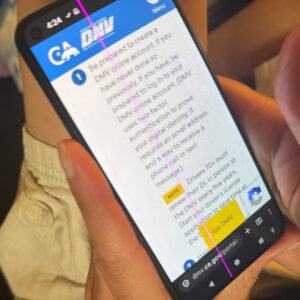
A cell phone held in a hand, showing the California DMV website. A bright magenta line is running vertically down the entire screen, including the status bar at the top and the onscreen buttons at the bottom.Today, a bright vertical magenta line appeared on my Pixel 5’s screen. I’d noticed it was running hot lately, and when I pulled it out of the case, sure enough it had started bulging.

I know it’s old. I’ve been trying to get as much use out of it as I can, which, well, I guess I have.

(Edit: added photo)

I do not like spicy pillows, Sam I Am.

So I reset the Fairphone and started setting up the most important apps: authenticator, password manager, stuff like that. And I set about unlocking the SIM protection on my phone number and got ready to call customer service.

I knew from experience that the Fairphone 4 works fine on T-Mobile’s US network, but their apps don’t know how to activate the e-sim. So I was prepared to talk someone through.

But because we’d been swapping back and forth between phones, the sim was still registered as attached to the teen’s number, even though the number is actually pointing to his current phone. It took over two hours (at least 45 minutes of that on hold) and three levels of escalation to first figure out that’s what the problem was, and then find someone with the access to fix it.

They did finally get it all sorted out, but it was not the way I wanted to spend my afternoon.

(And when I let the old phone cool off, the screen went back to normal, though it’s still bulging.)

Edge-on view of the phone showing that the glass screen is splitting away from the plastic case.

And to top it off, Nextcloud’s photo uploading has stopped working reliably, so I have to go through the last couple months of photos and make sure I have everything copied over. I went through some of them tonight, and need to get the rest…soon.

For now, I’ve turned the old phone off completely overnight.

Once I’ve got the photos transferred, I should figure out whether it’s worth repurposing the device with a new battery or just running it without one. And then dispose of the fire hazard.

Blaugust 2026: My Posts

I know, I’m already doing 100 Days To Offload. And I’m on track! I’ve written 24 posts in the last two months, so I’m actually ahead! But a few days ago I found out about Blaugust, a challenge to publish daily and/or write 31 posts in the month of August.

I can’t resist the wordplay in the name!

100 Days doesn’t have any set themes, and Blaugust’s themes are optional. And apparently it’s a fairly laid-back challenge, so if I miss a day I don’t need to drop out.

So what the heck: I’ll aim for 31 posts this month and see how far I get.

Besides, it’ll help motivate me to catch up on book reviews.

As with 100 Days, for Blaugust I intend to include any new or substantially rewritten page on my site, not just the ones that show up here in the reverse-chronological feed. The way I see it, what matters is less the specifics of what counts as a blog, and more that I’m writing new stuff on a regular basis and putting it out there on my own website, not on corporate social media.

Time to start my Blaugust post list:

  1. This post.
  2. Legends of Amberland (game review)
  3. First the Migraine, Then the Headache
  4. FairEmail (app review)
  5. Grumbling about Planned Obsolescence
  6. Where to Put Your Permalink
  7. What is rel="bookmark"?
  8. TIL about Hybrid MBR/GUID Partitions
  9. Starfleet vs. Jean Valjean?
  10. The Prestige
  11. Eulogy for the Pixel 5
  12. Canon Camera Connect
  13. To Each This World (book review)
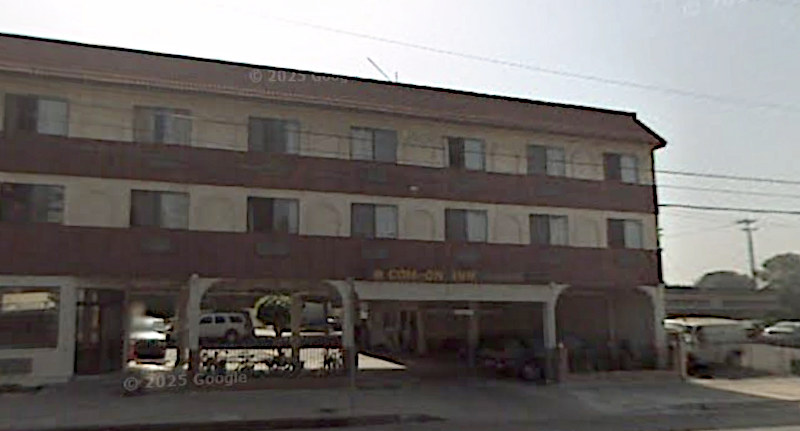
  14. Reusing the Sign: Com-On-Inn
  15. The Confidence Game (Maria Konnikova) (book review)
  16. Regarding Empathy
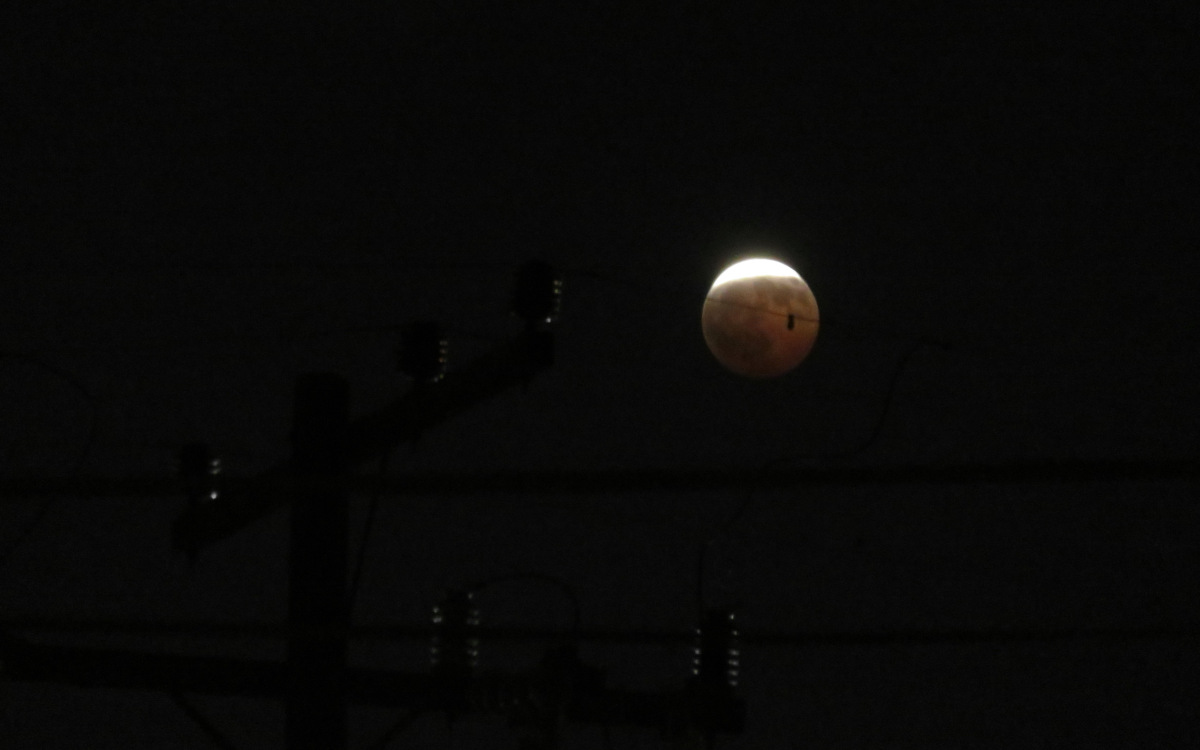
  17. Lunar Eclipse vs. Summer Gloom
  18. Sometimes Reality is Unrealistic
  19. A Month With The Fairphone 4
  20. A Month With /e/OS

September 1 Update

Well, I didn’t manage daily blogging past day 12, didn’t manage 31 posts in the month, and didn’t manage to kickstart my book review backlog as I’d hoped. I did manage to review two books I’d just read and a game I’d just finished, and I did finish a few older drafts.

But the bulk of what I wrote ended up being about tech troubles: 6 posts about my dying phone and replacing it, and another about an invisible disk partition, make up fully a third of this month’s posts. More if you include the rabbit-hole investigating a stock image that looked like AI but wasn’t.

I wanted to write about something else. And I got partway through some drafts. And then offline complications got in the way. And I never quite got back on track. Apparently even with a blogging challenge, I still don’t feel like posting filler just to post something.

On the last day I decided I didn’t have time to write about the busy weekend, but I could at least polish up the drafts I’d been working on all month about the new phone and its OS. I still want to write more about its camera, and include some photos, but that’ll have to wait for an update. And yes, this update probably could have been post 21 if I’d written it last night, but having missed the deadline, it felt more appropriate to include it here, so all my writing about this year’s Blaugust would be in one place.

I’ve always been more on the Tsundoku side. I don’t need suggestions for what might be interesting to read. I have books. Lots of them, both print and digital. What I need is to prioritize!

1. Finish what I’ve started

  • Pick up the books I’ve set down and still want to get back to. I finally restarted To Each This World this month and it turned out to be really good! I also need to get back to The AI Con and The Gossamer Mage.
  • Finish series. I’ve got two books left in my Earthsea re-read, and I haven’t worked up the nerve to open The Rose Field or Parable of the Talents. There’s also Seanan McGuire’s alchemy series, of which I’ve only read Middlegame (and I probably want to re-read it before starting the next one).
  • Review all the books I’ve read this year.
  • Finish the older reviews sitting in my drafts folder.
  • Re-read and review the Les Misérables comic/manga adaptations I picked up over the last couple of years.
  • Finish at least the novels and story collections from that Le Guin bundle a couple of years ago, plus the remaining Hainish stories that aren’t in any of those collections.

(Minor update as I’ve filled in a few other books I forgot to mention.)

2. Make room

This will require coordinating with the rest of the household, but I can at least make a first pass.

  • To-read books that none of us still want to read.
  • Read books that none of us want to re-read.
  • Books that no longer spark joy, and merely spark “meh” (unless there’s another reason to hang onto them, like keeping the bad middle volume of an otherwise good series)
  • Same with my comic collection.

3. Try out some more eBook apps.

I’m mostly using NeoReader (the one built into the Boox Go 7) for DRM-free eBooks, and Kobo for books I’ve bought over the last few years. Ebooks.com has a new app that replaces their existing bare-bones app, and I’ve heard good things about ReadEra. Plus I should make the effort to really use KOReader on a couple of devices. I’ve bounced off it a couple of times, but people out there like it.

4. Cross-Post Reviews

I’ve gotten behind on cross-posting reviews to BookWyrm (which I trust enough to post the full versions) and various bookshop sites (which I don’t). But it’s worth at least rating the recent books I’ve liked by living authors at Amazon and Kobo for visibility in the Great Engines of Algorithmic Recommendation.

5. Keep up!

When I buy a newly-published book, read it while it’s still new, then go back to the to-read pile.

I recently added “Your LLM was trained on my blog” to the intro on my home page. I’m sort of being facetious, but it’s also true: my old site (hyperborea.org) has been in the Common Crawl data set for years, this blog has been online since 2002, and the major LLMs have used Common Crawl’s data in their training.

Way back when I switched to WordPress in 2003, one of the things I found annoying about it was that it would auto-convert punctuation from ASCII to “fancy” characters. Curly quotes, curly apostrophes, em-dashes instead of double-hyphens, ellipses…These were things that bugged the heck out of me when I saw them in broken emails and Word documents. Over the next year, seeing the difference it made in legibility, I came to appreciate real typography. Since then I’ve been happy to let WordPress, and later ClassicPress and Eleventy convert my plain typing.

Side note: I still have trouble using some apps with code snippets (ex: Apple Notes and Stickies), ’cause I haven’t figured out how to stop them from converting ASCII punctuation that means something in the code to Unicode punctuation that means something more specific in printed human language. Also, notice in that sentence that ClassicPress was smart enough to convert a straight up and down apostrophe used on a contraction to a curly apostrophe, and not to a curly single quote like it does with ‘here.’

Anyway, WordPress powers a huge amount of the web. I’ve seen stats bandied about such as 42% of all websites, 60% of content management systems, >50% of the top 10,000 websites (by some measure or another). The exact numbers aren’t important, it’s just important to know that a whole lot of the web uses WordPress to convert what people write into HTML pages for the web.

Now let’s get back to LLMs:

  • People think they can identify LLM-generated text because it tends to include em-dashes.
  • LLMs were trained on writing by actual people on the web.
  • A whole lot of that writing by actual people is presented by WordPress.
  • WordPress has auto-converted typography including em-dashes since 2003.
  • That means a large chunk of LLMs’ training data includes text by real people that uses real em-dashes.

“AI” doesn’t use em-dashes because real people don’t, it uses em-dashes because real people do [note: lots of swearing] (via).

The only place I can imagine it would be even a semi-reliable indicator would be in social media posts, on platforms where that kind of auto-conversion doesn’t happen. Even then, I can easily imagine someone writing a draft in Word, or copying a sentence or two from their WordPress post, or just hitting option+shift+hyphen on a Mac (or whatever the key combo is on Windows).

Back in 2016, a Vine (remember those?) by “Gasoleen” immortalized the “FR E SH A VOCA DO” sign at a Torrance Del Taco as “Free sha-VA-ca-doo.” I hadn’t seen the video, but I had watched the sign’s letters drift apart over a few months. They even updated the logo without fixing the spacing…until they changed it to say “FREE SHAVOCADO” ASK INSIDE for the summer. That’s when I took a photo of it myself, and discovered that the Free Shavocado tag already existed on Tumblr.

I guess someone’s nostalgic for the meme, because today, roughly 10 years later, the sign once again says “FRE SH A VOCA DO.”

A square red DEL TACO sign stands on a post above two narrower signs, one with movable lettering and the other indicating that the 'DRIVE THRU' is open late. The custom sign between them reads 'FRE SH A VOCA DO'. Behind the sign it's a mottled sky, some white, some blue. A skinny tree tied to two support poles, with mostly empty branches (but a few leaves finally starting to bud), stands next to it. Cars can be seen on the road behind the signpost, and some low buildings across the way.

The other side of the sign. It's seen from a bit further away, so I used digital zoom and the image is a bit blurrier. The DEL TACO and drive-through (sorry, drive thru) signs look the same. At first it looks like the tree is missing, but it's just mostly hidden behind the signs. From this side the sky is a dull gray, and the sign reads 'FRE SH A GUACA MOLE' instead.

They put it on the opposite side this time. On the side visible in both the meme and my own older photo, they’ve put a new variation: “FRE SH A GUACA MOLE.”

Looking back at the original post, I realize I should’ve crossed the street to match the original angle (and get a clearer shot) on this one. At least I got a clear photo of the returning classic!

Back in December 2024, Niantic posted about a large geospacial model they were building using data from Pokémon Go.

That led to a lot of online talk, with takes ranging from:

  • Well yeah, that’s what we figured they were doing with the “Scan a Pokéstop to build better AR models” feature.
    to
  • Watch out! Niantic is building a global AR model using every image that passes in front of your phone’s camera!

I was in the “of course that’s what it’s for” camp. When the game rolled out the Pokéstop scanning feature a few years earlier, it seemed obvious that it was training 3D machine vision, like how all the “pick the squares with bicycles” CAPTCHAs are obviously training for self-driving cars. I figured there was a good chance someone would use it for some harmful purpose or another, probably surveillance, so I skipped those tasks.

Anyway, after a week or so, Niantic updated the article to clarify* that it was using the deliberate Pokéstop scans in public places for Pokémon Playground, not any of the other AR features like taking a photo of your buddy in the kitchen.

This made sense, because if they were using that data, it would have eventually gotten better at placing a Pokémon in my kitchen. (The floor’s a grid. You’d think that would help, but noooo….)

Drones (And not just Beedrils or Combees)

Those scans are back in the news, because as DroneXL reports, that geospatial model is being used for camera-based drone navigation.

Including military drones.

Because of course everything has to be weaponized. Allegedly even Pixar’s RenderMan.

Admittedly, GPS itself started as a military technology long before it became civilian infrastructure. Military and civilian tech really do just have a revolving door between them, don’t they?

Training Data

Among other sources, DroneXL cites a Dutch-language article at Trouw, who asked the defense contractor (Vantor) directly whether it uses Pokémon Go data: Vantor initially said no, but later walked back any guarantee. Niantic Spatial, however, has stated that the Pokéstop scans were used to train an “early version” of their model. That means the data (or weights produced from it) is still in there, just blended so much by training process that it can’t be identified anymore.

Kind of like you probably couldn’t confirm my old blog posts are in the training data for an LLM by looking at the LLM weights, but you can find pages from hyperborea.org in Common Crawl data, and assume any model trained on Common Crawl still has it in there somewhere.

Maybe scans made since Scopely (US-based, Saudi owned) bought Niantic’s gaming division last year haven’t gone into the map built by Niantic Spatial (still independent), so Vantor technically isn’t using current player data. Or maybe Niantic Games continued passing scans along to Niantic Spatial for a while, under the separate TOS, and Vantor’s spokesperson just hadn’t made the connection.

Quietly Dropped

Curiously, the Pokéstop scanning task I’d left in my list for years just disappeared a few days ago.

At first I deleted the tasks as I got them, but every time I scanned an eligible stop it would add a new one if I didn’t have one in my list. So after a while I just left one there and ignored it like an ad banner.

It turns out Pokémon Go discontinued the features on June 2, just three days before the Trouw article was published. (New tasks stopped appearing that day, and it took a few days for old tasks to disappear.)

Coincidence? Maybe. But the timing’s certainly suspicious.

Notes

* Before Niantic published their update, I e-mailed them asking for clarification. It took them over a month, but they did eventually reply:

Hi Trainer, we appreciate your patience. Thanks for your questions about AR Mode and our Privacy Policy. I’ve shared some additional information below:

For Pokémon GO, only AR scans from the PokéStop Scanning feature will contribute to the development of the Large Geospatial Model. As noted in the PokéStop Scanning Help Article (https://niantic.helpshift.com/hc/en/6-pokemon-go/faq/2519-scanning-a-pokestop/): information gathered during PokéStop Scanning allows Niantic to generate accurate, dynamic 3-D maps of real-world objects and their relative locations, and help devices understand the surroundings in AR real-time. As noted in the Editor’s note to the blog post, merely playing the game does not train an AI model.

When using AR or AR+ mode, we do not store your photos on our servers. For PokéStop Scanning, once a PokéStop scan is voluntarily uploaded, the video recording and associated camera data is retained on our servers in accordance with our data retention policies. For more information please see our Privacy Policy (https://nianticlabs.com/privacy).