I wanted to take a look at Firefox’s error page a few minutes ago, so I selected the address bar and hit some random keys. Due to a lack of sleep last night and a day of caffeine, I’d forgotten that if it can’t find a site with a given hostname (and still can’t find one through auto-complete), it automatically does a search for whatever you typed in.

I was rather surprised to see that a search for “klasjdf” turned up 508 hits.

As I think about it, it makes sense. Those letters are 7 of the 8 home keys on the QWERTY keyboard layout, and the eighth is not only a semi-colon, but home to a pinky. A touch typist hitting random keys might be inclined to just hit the ones that are already under his or her fingers. One per finger, leaving out the single non-letter, gets you exactly the 7 that I typed.

As for the letter order, I spot-checked a few permutations, the lowest of which was just 251 for klasdfj. Those with patterns scored higher: 18,400 for alskdjf (alternating left & right, working in from the edges to the center); 99,600 for asdfjkl (left-to-right).

I guess there must just be a lot of people typing random text. Infinite monkeying around, so to speak.

Organization for Transformative Works – dedicated to protecting the expression of fan fiction, fan art, etc. (via Naomi Novik)

Open Standards, One Web, and Opera – Just why are standards important, anyway? (via Opera Watch)

Speaking of Opera, their EU antitrust complaint against Microsoft has been making waves. Responses at CSS3.info, Web Standards Project, Slashdot (edit: more Slashdot), Asa Dotzler, Opera Watch, plus a Q&A w/ Haarvard. My take: Good luck on unbundling, but if they can force Microsoft to catch up with the rest of the market in terms of standards support, I’m all for it.

Nissan vs. Nissan. On my way to work I saw a bumper sticker on an XTerra that said “In support of our freedom, it’s my last Nissan.” Huh? There was clearly a web address below it, but it was too small to read at that distance. So I looked up the phrase, and apparently there’s been a long-running dispute over the domain name nissan.com, between a small computer business named after its founder, Uzi Nissan, and the Nissan car company. The dispute was eventually resolved (correctly, IMO, since he has a legit reason to use the name) in favor of the little guy. On the other hand, I don’t see why the site makes such a big deal about Nissan’s “French Connection” to Renault.

Amazon KindleAmazon’s entire home page is currently taken up by the announcement of their new eBook reader, Kindle. At $400 I’m not going to rush out and buy one, but it looks like they’ve solved some of the main e-book problems: it’s small, light and wireless, and they even bring up the reading-in-bed issue in the intro.
The real question is going to be compatibility & openness: It’ll read plain text, HTML, Word, and a few other document formats (and they’re promoting its access to Wikipedia), so it should be possible for other stores to sell books for the device.

And what about the e-book offerings themselves? Will they be loaded down with draconian digital rights management like the Adobe ebooks of a few years ago, or are they following the model of Amazon’s MP3 store?* In a nice change, their music downloads are entirely DRM-free and they use it as a selling point. Edit: Per Andrea’s comments and further research, Kindle ebooks are locked down with DRM. No, thanks!

The name, however, makes me wonder how soon they’ll offer Fahrenheit 451.

* Amazon’s MP3 store is also surprisingly cheap. I replaced my old tapes of the original cast recordings of Les Misérables (Broadway) and Phantom Of The Opera for $9 each—they run upwards of $30 on CD.

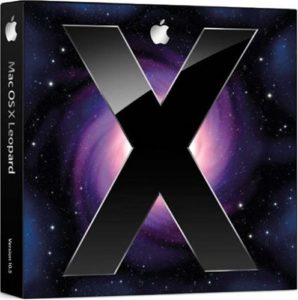
Mac OS X LeopardThe new Mac OS X disc arrived in today’s mail. I opened it up to make sure everything was there, and was surprised to see that Apple has really cut down on packaging. Instead of the ~8×10″ box with folds to keep the disc and manual in place, they’ve gone to a small box the size of a cardboard CD case. Just enough room for the DVD and the “manual” (which is mainly a “Look what’s new!” booklet).

“So,” I said. “I have to ask myself. Do I feel lucky?”
“Well,” Katie replied. “Do you? Punk?”
“What the heck.”

I’d done some research on application compatibility earlier this week, and the PowerBook looked ready. Katie’s desktop is going to need further study. The Mac Classic environment will no longer run under Leopard, and she’s still got a couple of Classic apps she pulls out occasionally. Also, Photoshop 7 is reported not to run under Leopard, and Adobe isn’t testing or updating anything older than CS3.

But the laptop? No critical data to back up (it’s all duplicated from the desktops), and everything we actually use on it has been tested on at least a pre-release.

So I fired up Netscape 4 for old times’ sake (and discovered that this theme is completely unreadable in it; then I switched the CSS around so that Netscape 4 won’t even try). Then I popped in the disc, selected some options, and let it install during Pushing Daisies.

No problems so far. Disk space is running low, but it’s a 3-year old laptop (so the drive is small) and I did an Archive and Install, so it has a backup of the old OS. Once it’s clear that everything works, I can free up ~6GB right there. It may also be time to wipe the Yellow Dog Linux partition. I haven’t used it in over a year.

Some highlights: I really like finally having virtual desktops (what Apple calls “Spaces”). The new search highlighting, previously seen in the Safari 3 beta, appears in other apps as well. Heck, Safari 3 is a big jump itself. (Hey, Apple, where are the Windows and Tiger releases?)

I had an interesting thought looking at the Blog Action Day, um, blog, which remarked on what, for me, was Sunday:

And so we come to it at last… Blog Action Day has now officially begun for the first countries closest to the International Dateline.

I realized that it wasn’t going to stop after 24 hours the way that, for instance, Slashdot’s April Fools days run (GMT midnight to midnight). The event was designed to be October 15—not October 15 in a particular time zone. If you start with the first zone to reach a date, and run through the last zone to finish it, “October 15” would last about 48 hours.

I’m too sleepy to do the math myself, so I’ll trust Wikipedia’s entry on Time Zones:

Because the earliest and latest time zones are 26 hours apart, any given calendar date exists at some point on the globe for 50 hours. For example, April 11 begins in time zone UTC+14 at 10:00 UTC April 10, and ends in time zone UTC-12 at 12:00 UTC April 12.

So there you have it: a worldwide event tied to a calendar day but no time zone lasts 50 hours.

And here you thought things moved faster on Internet Time!

It’s funny: When Microsoft releases a new OS, my inclination is to sit it out and wait for the first service pack, usually a year or so in. When Apple or Fedora releases a new OS, my inclination is to upgrade as soon as I have the time. Even though all of them have had histories of significant problems on one release or another—the broken video driver I ran into on Fedora 7, for instance, or the firewire drives fried by one version of Mac OS X.

I’m not sure why that is. Maybe it’s trust. Maybe it’s speed of the fixes: Linux vendors will have updated packages within days to weeks. (Heck, some Linux distros have updates available by the time the ISOs go live, because a bug was fixed after the contents were frozen.) And you can count on a Mac OS 10.5.1 in a month or two. Maybe it’s the scale of problems. You risk things like broken drivers or software with anyone’s major OS upgrade, but Windows always seems to have some problem that’s bigger than just a bug fix, something that needs more time and effort to redesign. In short, something that won’t get fixed until the next service pack.

Update 2026: Sadly, this is no longer true. For the last few years, I’ve been holding off my macOS updates for at least a year, which usually means waiting until the next version after it launches. As for Windows…I put in for the extra year of Windows 10 fixes and downgraded a device from Windows 11 because the one piece of hardware I “upgraded” turned into an unusably slow mess.

Somewhere along the line I got in the habit of waiting a couple of weeks on Fedora updates to make sure third-party graphics drivers catch up, which turned out to be fortunate with the most recent release.

Just some thoughts on the top 3 most intrusive pieces of computer hardware to upgrade or replace:

  1. Case: You have to take everything out, completely disassembling the machine.
  2. Motherboard: Disconnect every data cable, pull out every card, and sometimes even move the spacers that connect it to the case.
  3. Power Supply: Disconnect power from every drive and from the motherboard, and possibly move stuff out of the way so you can get at the power supply.

Then, of course, you need to do the whole thing in reverse.

One reason I haven’t upgraded my processor lately (a simple procedure by itself) is that whenever I do, it seems to need a new socket, which means getting a new motherboard. Which also needs new memory…

»All pages site-wide with this tag